Portfolio Neeta
Full-stack portfolio site for Neeta Bhusal — built with Next.js 16, MongoDB, and a custom admin CMS.
Documentation
| Document | Description |
|---|---|
| Architecture | High-level design, system layers, data flow, tech stack rationale |
| Low-Level Design | Module breakdown: routes, controllers, services, repos, models, hooks |
| API Reference | All endpoints, request/response shapes, validation schemas |
| Database Schema | Models, fields, indexes, enums, entity relationships |
| Component Tree | Full component hierarchy, server/client split, UI primitives |
| User Journeys | Flows for visitors, clients, and admin |
| Deployment Guide | Environment setup, Vercel deployment, troubleshooting |
| Security | Auth flow, middleware, XSS/CSRF prevention, input validation |
| Screenshots | Page-by-page walkthrough with desktop and mobile viewport screenshots |
Tech Stack
| Layer | Technology |
|---|---|
| Framework | Next.js 16.2.4 (App Router) |
| UI | React 19.2.4, shadcn/ui (Radix), Tailwind CSS v4 |
| Database | MongoDB + Mongoose 8 |
| Auth | JWT (jose + jsonwebtoken), bcryptjs |
| Images | Cloudinary (upload, transform, delivery) |
| Data Fetching | TanStack React Query 5 |
| Animations | GSAP 3.15 + ScrollTrigger |
| Validation | Zod 3 |
| Icons | react-icons, @radix-ui/react-icons |
| Theme | next-themes (dark/light) |
| Nodemailer (SMTP) | |
| Analytics | Vercel Analytics |
| Package Manager | npm |
Features
- Portfolio — Projects listing with search, filter by category, pagination, and detail pages
- Logo Request — Multi-step form with auto-save, email notifications, and public status tracking
- Admin CMS — Login/signup, create/edit projects with image upload, manage requests
- Authentication — JWT-based auth with httpOnly cookies and middleware-protected routes
- Cloudinary Integration — Image upload with signed signatures, responsive delivery via
hydrateProject() - SEO — Dynamic metadata, sitemap, robots.txt, Open Graph / Twitter cards
- Animations — GSAP scroll reveals and hover effects
- Dark Mode — Default dark with next-themes toggle
- Responsive — Mobile-first, Tailwind responsive utilities
Getting Started
Prerequisites
- Node.js 20+
- MongoDB (local or Atlas)
- Cloudinary account
Setup
# Install dependencies
npm install

# Copy environment variables
cp .env.example .env
# Edit .env with your MongoDB URI, JWT secret, and Cloudinary credentials

# Run development server
npm run dev
Open http://localhost:3000 in your browser.
Scripts
| Script | Command | Purpose |
|---|---|---|
dev | next dev --webpack | Start dev server |
build | next build --webpack | Build for production |
start | next start | Start production server |
lint | eslint | Lint all files |
Architecture
The backend follows a layered pattern:
Route (API) → Controller → Service → Repository → Mongoose Model
- Controllers — Parse request, call service, format response
- Services — Business logic, validation, cross-cutting concerns
- Repositories — Database queries (Mongoose)
- Models — Schema definitions
Server components fetch public/site.json directly. Client components use TanStack Query to call API routes.
Data Flow
- Public pages — Server component reads
public/site.json, passes data as props to client components - Projects — Server component queries MongoDB via controller/service/repository, returns hydrated data
- Admin — Authenticated users CRUD projects via
/api/projects(POST/PATCH), images via Cloudinary signed uploads
Environment Variables
| Variable | Required | Default | Description |
|---|---|---|---|
MONGODB_URI | Yes | — | MongoDB connection string |
JWT_SECRET | Yes | — | Secret for signing JWTs |
CLOUDINARY_CLOUD_NAME | Yes | — | Cloudinary cloud name |
CLOUDINARY_API_KEY | Yes | — | Cloudinary API key |
CLOUDINARY_API_SECRET | Yes | — | Cloudinary API secret |
CLOUDINARY_FOLDER_NAME | No | — | Upload folder |
AUTH_COOKIE_NAME | No | nb_auth | Auth cookie name |
JWT_MAX_AGE | No | 2592000 | Token lifetime (seconds) |
DISABLE_ONBOARDING | No | true | Disable signup route |
Deployment
See Deployment Guide for full setup instructions.
Key Conventions
- Server components are the default; add
"use client"only when needed (hooks, browser APIs, state) - Data fetching from
site.jsonusesfetchJson()with Next.js cache; from MongoDB uses repository pattern - Project images live on Cloudinary;
hydrateProject()enriches project objects withimageUrlanddownloadUrl - Animations use
[data-reveal]and[data-hover-lift]attributes consumed byuseGSAPhook - API responses follow a standard
{ success, data/error }format viasuccessResponse()/errorResponse() - Icons are centralized in
lib/iconMapper.tsmapping string names to react-icons components
Screenshots
Main Page
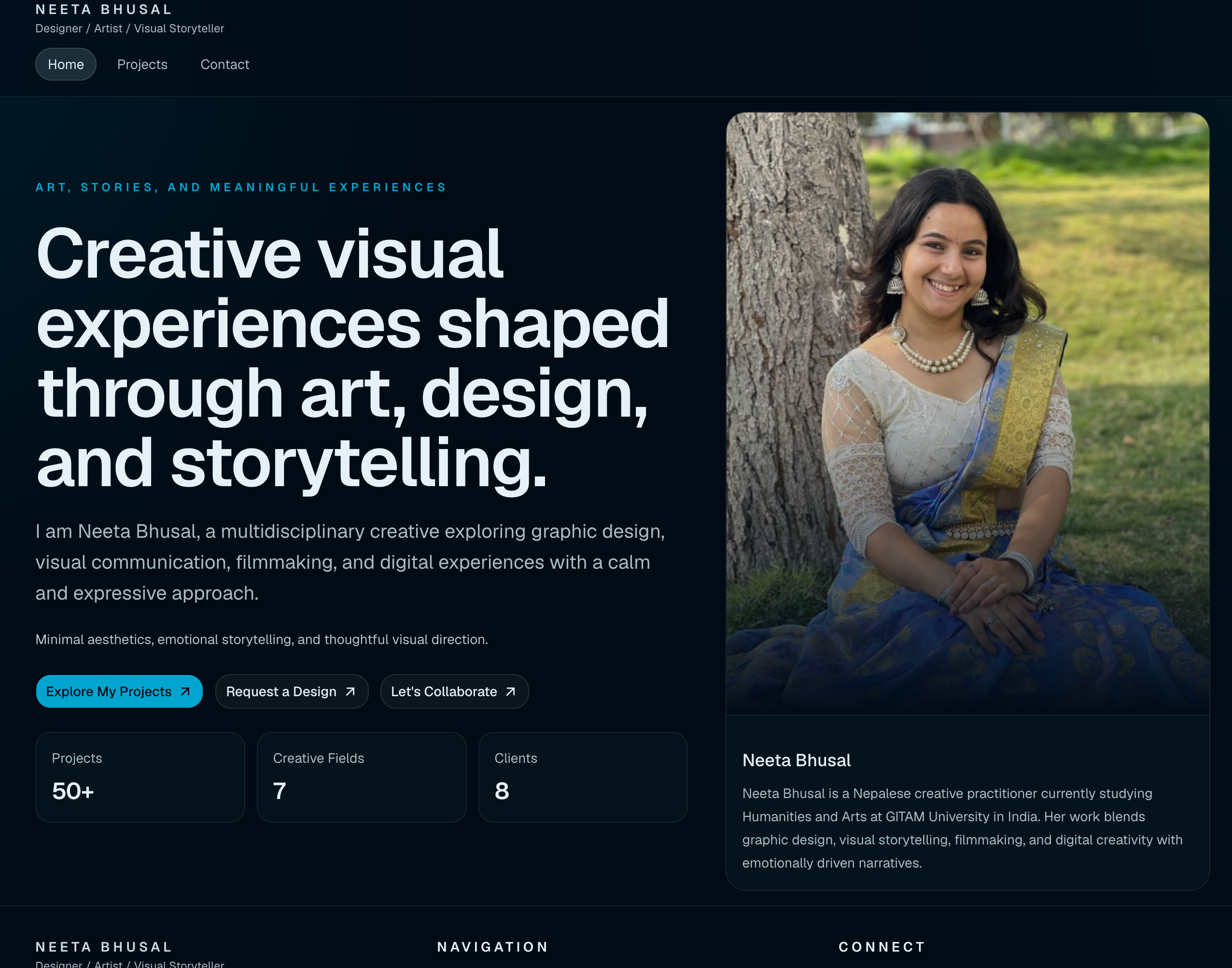
Full page-by-page walkthrough with desktop and mobile views: docs/screenshots.md.